Marketing that sounds like you. Admin that runs itself.
This month has been about control. Control over how your agency sounds, who sees what, and which properties go out to the world without you checking every post.
Spectre Social now lets company admins give each branch their own space, set the tone of voice your AI captions write in, and choose exactly which properties get posted automatically. Your website can turn a visit into a WhatsApp chat in one tap. Your email automations can target people by the valuation page they completed or the portal their enquiry came from. And company admins can now create their own users, so a new starter is working on their first morning. Here's everything that's new in Spectre…
Spectre Website updates
Let visitors message you on WhatsApp.
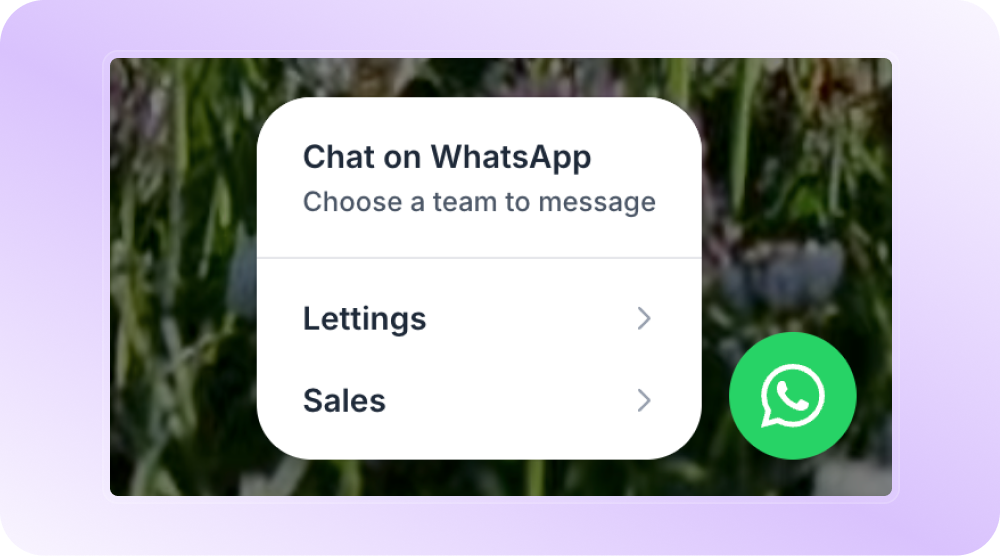
A WhatsApp button on your Spectre website turns a visit into a chat in one tap, on a channel your customers already use and trust. Set a number for each branch or team, each with its own display name, and choose where the button sits.
Bring your website to life with motion, in just one click.
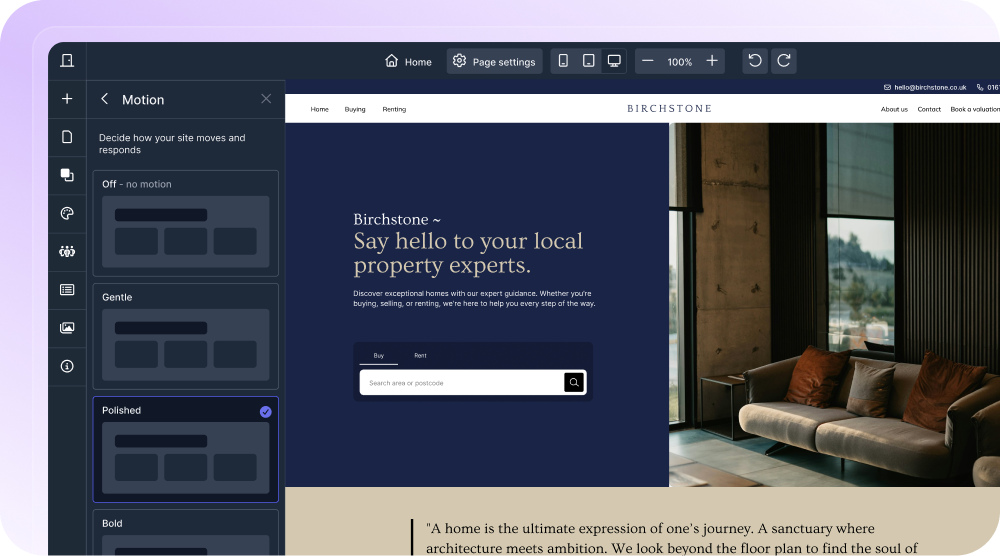
You can now set motion across your whole site in a click. Choose from three animation styles, or switch motion off entirely for a cleaner, more static feel.
Spectre Social updates
Give every branch their own space on social.
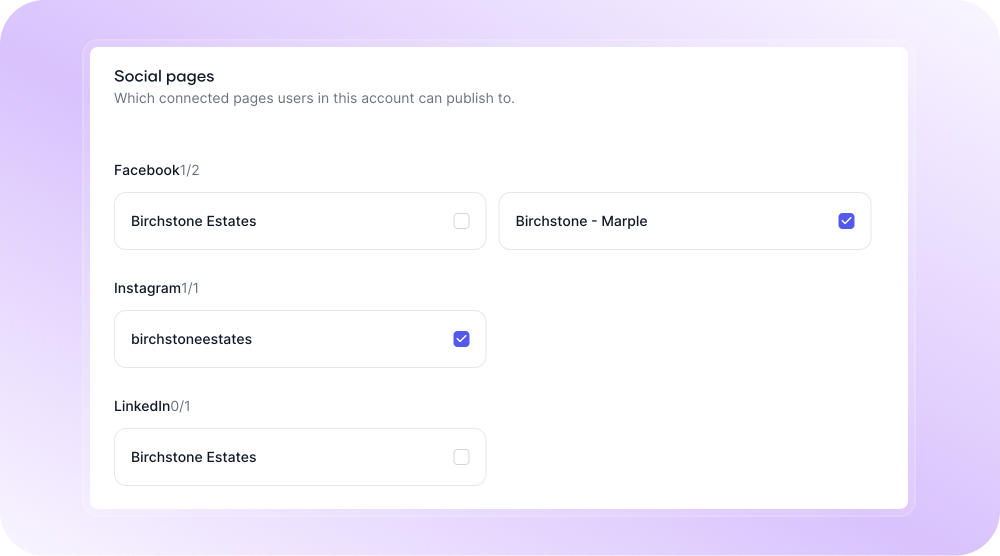
Company admins can now choose which social pages, properties and reviews each account sees and posts to, with dashboards filtered to match. Any structure works, from one page per branch to a single shared LinkedIn, and accounts stay company wide by default so nothing changes unless you want it to.
AI captions that sound like you, never like software.
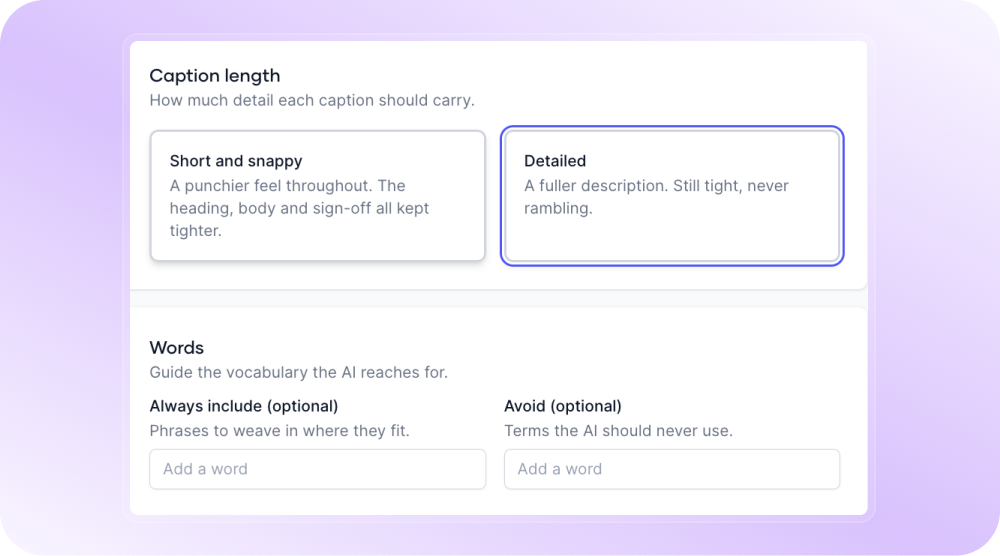
Set your tone of voice, caption length, emoji preference, and the words to always use or avoid. Spectre AI applies them to every caption in the background, so each post arrives ready in your voice. You set it up once, and every caption from then on follows it.
Show clients the technology that sets you apart.
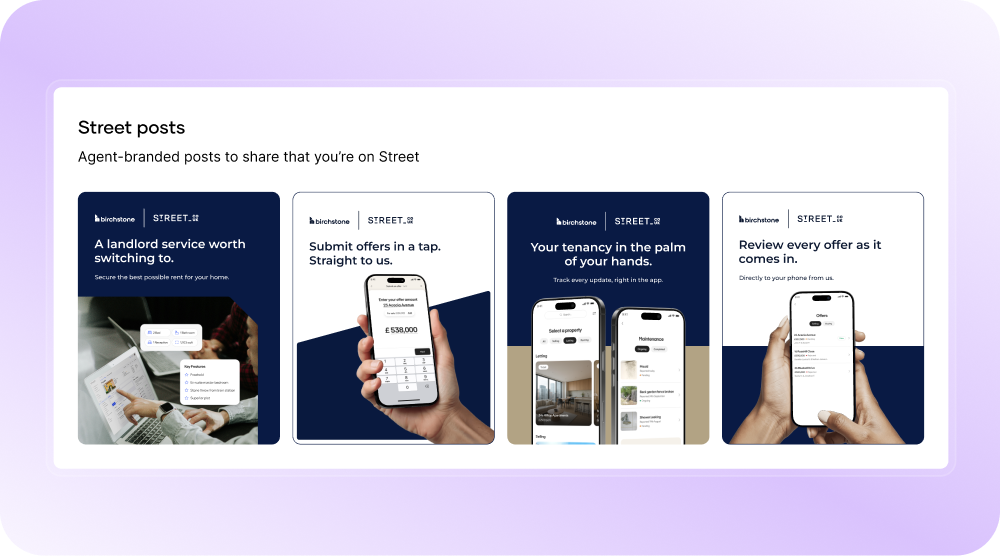
Street.co.uk agents on Spectre Social now have a set of ready-made co-branded posts in the custom post flow. Each one gives vendors and landlords a reason to choose you, from submitting offers in a tap to tracking a tenancy from their phone. The technology you run your agency on is a differentiator, and these posts put it in front of clients without you having to design anything.
Choose exactly which properties get posted for you.
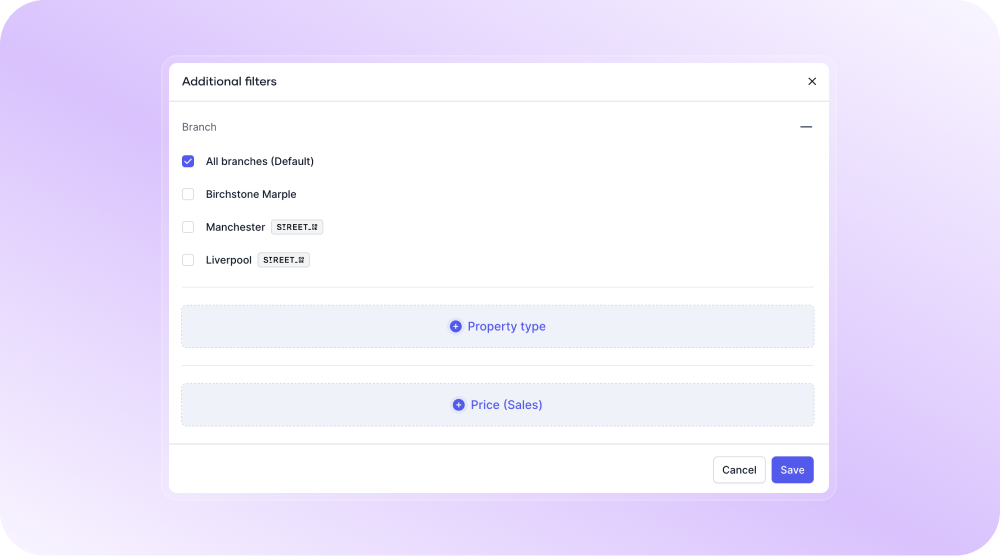
Property automations can now filter by property type and price, as well as status. Your automated posts stay focused on the stock you want to be known for, whether that's a property type you specialise in or a price bracket you're building a name in.
Reach your own LinkedIn network too.
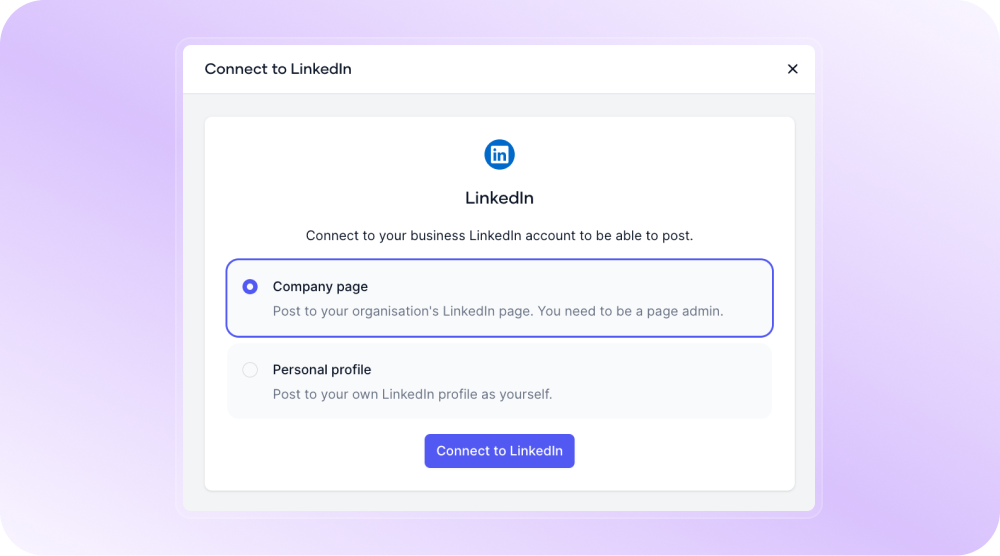
You can now connect personal LinkedIn profiles alongside your company pages, so your listings reach the people who already know you and your team.
Post when your audience is actually watching.
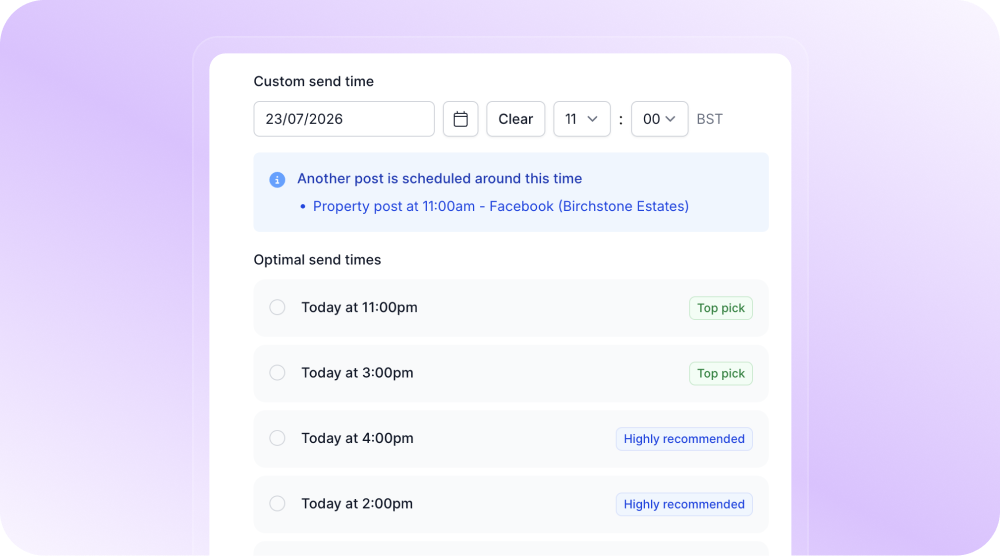
Suggested send times are now ranked by each page's own engagement instead of best practice. The more you post, the sharper the suggestions get.
Post your property videos at full quality.
Video uploads now go up to 1GB, so walkthroughs and drone footage go out looking the way they were shot.
Pick your post images in a couple of clicks.
There is now a de-select all option when you choose property images, and Spectre selects the first ten rather than every photo on the listing.
Size your logo to match your branding.
Logo scaling now goes up to 400%, so wide, narrow and small logos can all sit at the size your branding needs.
Pull reception rooms into your captions.
A new merge field brings reception rooms through with the rest of the property detail.
Clear out automations you no longer run.
Automations that have gone live can now be deleted once you have paused them, so your list shows only the journeys you are running.
Spectre Email updates
Email people based on the valuation they completed.
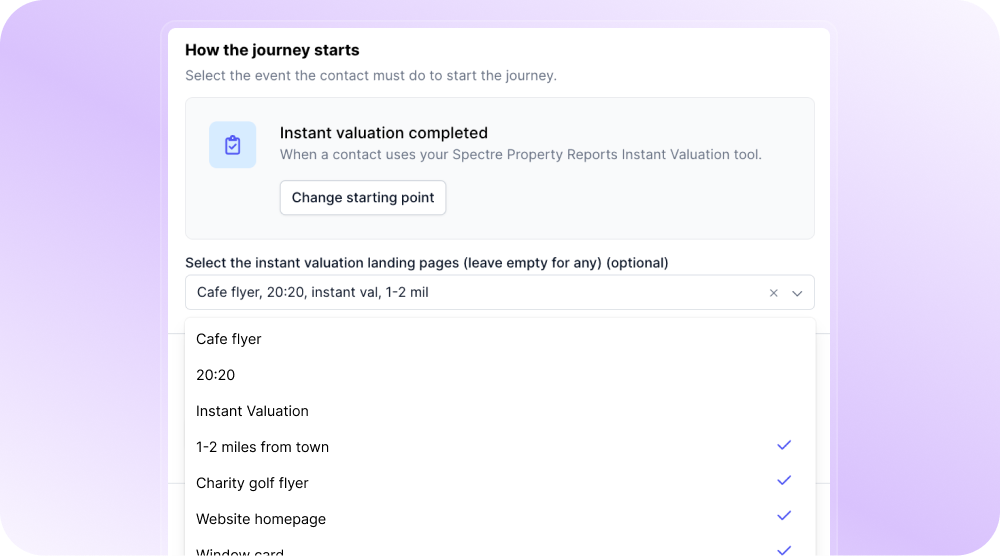
Choose exactly which instant valuation pages feed an automation, instead of one page or all of them. Group the pages you want into a single journey, so each campaign speaks directly to that group. That means more targeted campaigns and fewer duplicate journeys, and if you run more than one brand, each brand's valuation pages can feed their own automation.
Target leads by where they came from.
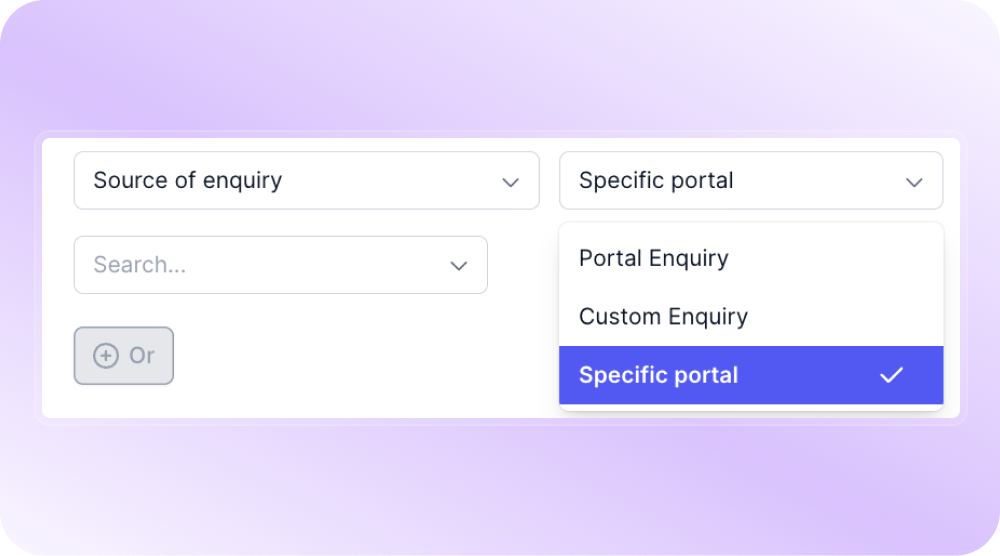
A new filter splits your leads by where their enquiry started, like Rightmove or Zoopla. Send each group a different email, or see how many leads each portal is bringing you.
See how every property update email performs.
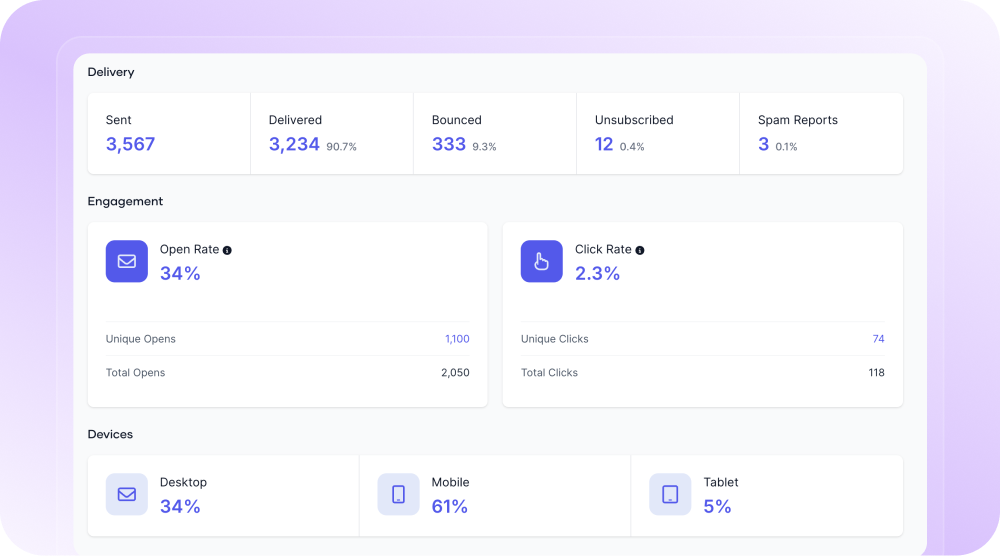
Property update emails now come with the same full report as every other Spectre email. You get a complete breakdown of recipients and engagement for each send, so you can see exactly which contacts opened, clicked and engaged month to month.
Put the tenancy end date in front of your tenants.
Tenancy end date is now available as a merge field in automation emails, so renewal and notice conversations carry the exact date.
Make sure every reply gets picked up.
You can now add up to five reply to addresses on an email, so client replies reach everyone who needs to see them.
Match your property block icons to your brand.
Icon colour in the property block is now editable separately from the text colour, so icons can sit in line with your copy or provide contrast.
Direct mail updates
Place postcard images with confidence.
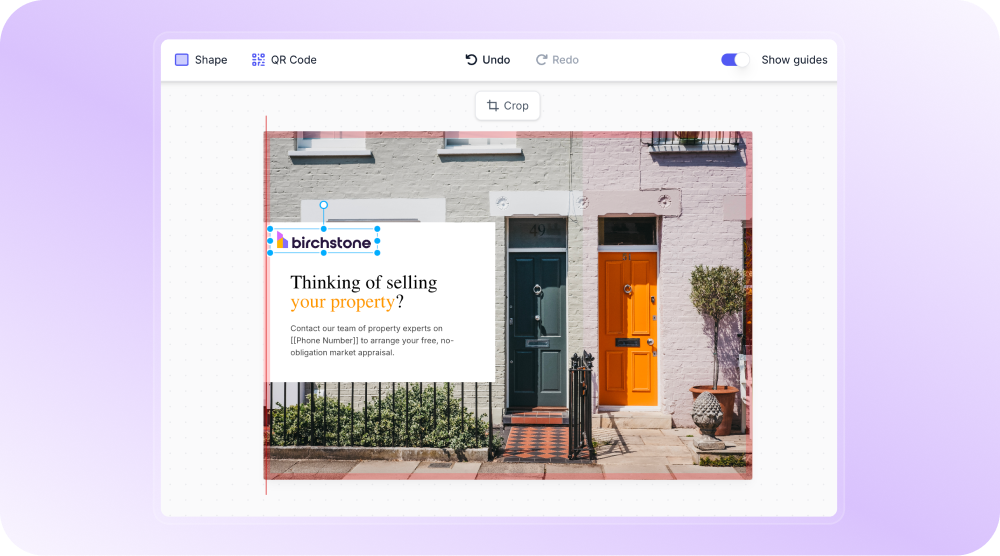
Images in the postcard builder now snap to the edge of the card and to the safe zone, so backgrounds run flush to the trim and logos stay clear of the cut. Your margins stay consistent from card to card.
See true print colours before you send.
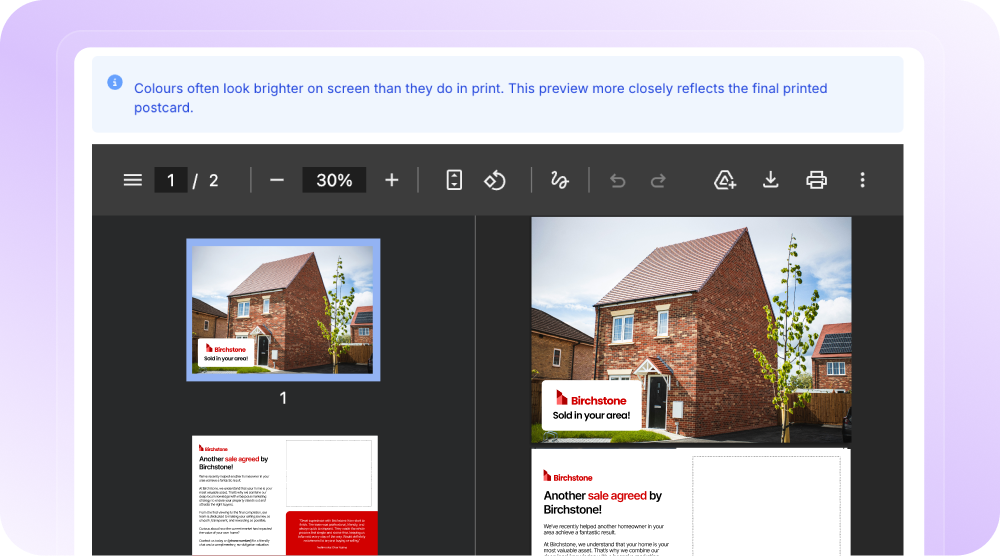
Postcard designs now convert to print colour when you hit Preview, giving you a more accurate view of your final design before generating a batch.
Pick the right merge field, every time.
The letter and postcard editors now show tool tips on every merge field, so you know which one to use for each campaign.
Target a single street with pinpoint accuracy.
Building a campaign around a specific street or postcode is now far easier. The map zooms right in to frame your chosen area, centred and ready, so you can target exactly where you want to prospect.
See how many campaigns each branch has sent.
The letters and postcards sent by branch reports now show campaign numbers alongside the volume sent.
Platform updates
Set up your own users in a click.
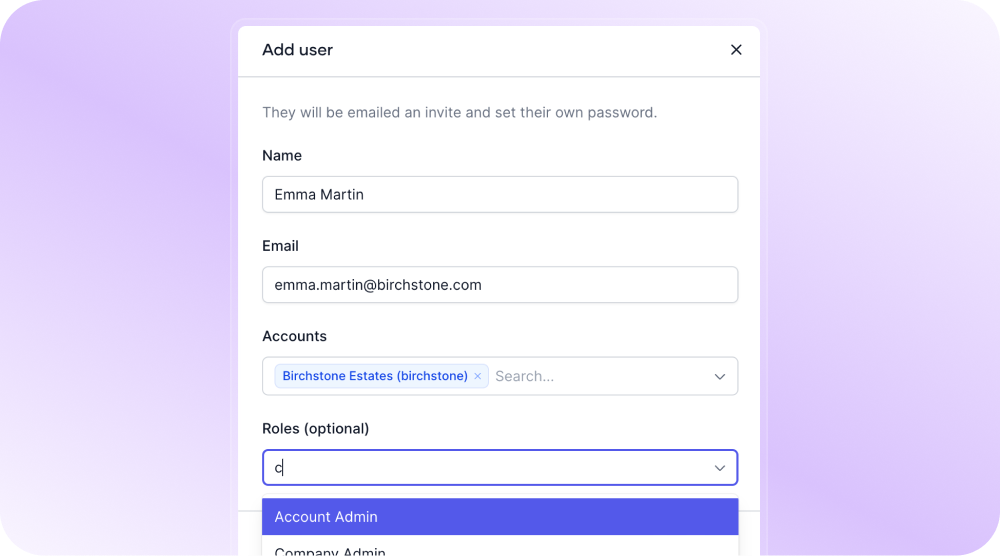
Company admins can now create users and assign their role, and deactivate or reactivate them as your team changes. New starters get access on their first morning, without waiting on anyone else.
That's this month: A WhatsApp button on your website, branch-level control across Spectre Social, AI captions in your own tone of voice, and a set of email automations that target people by exactly where they came from.
We'll keep building tools that help you win more instructions.
Follow us on LinkedIn for the latest releases, walkthroughs and product insights.