This month’s updates are all about refinement and control, giving you more precision across social, email, websites and direct mail.
From perfectly formatted posts and deeper social insights to more powerful segmentation and streamlined print workflows, every improvement is designed to help you move faster, stay on brand and communicate more effectively.
Here’s everything that’s new in Spectre…
Spectre Social updates
Posts, perfectly formatted on every platform.
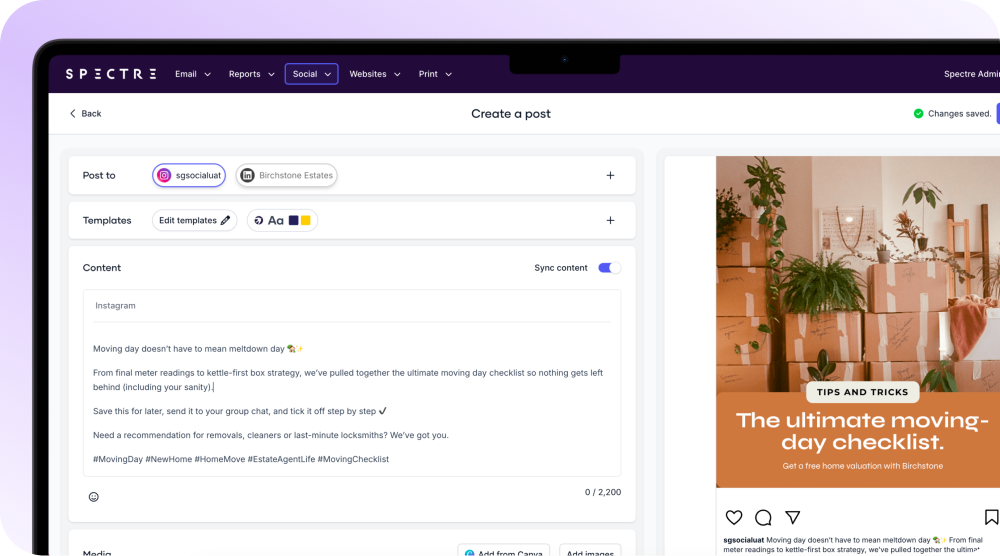
Whether you’re posting to Instagram, LinkedIn or Facebook, your content now fits exactly as it should. We’ve optimised Instagram posts to display properly on your grid, while keeping other platforms perfectly formatted too.
No resizing. No workarounds. Just posts that look right, wherever your audience sees them.
Review posts that look like your brand.
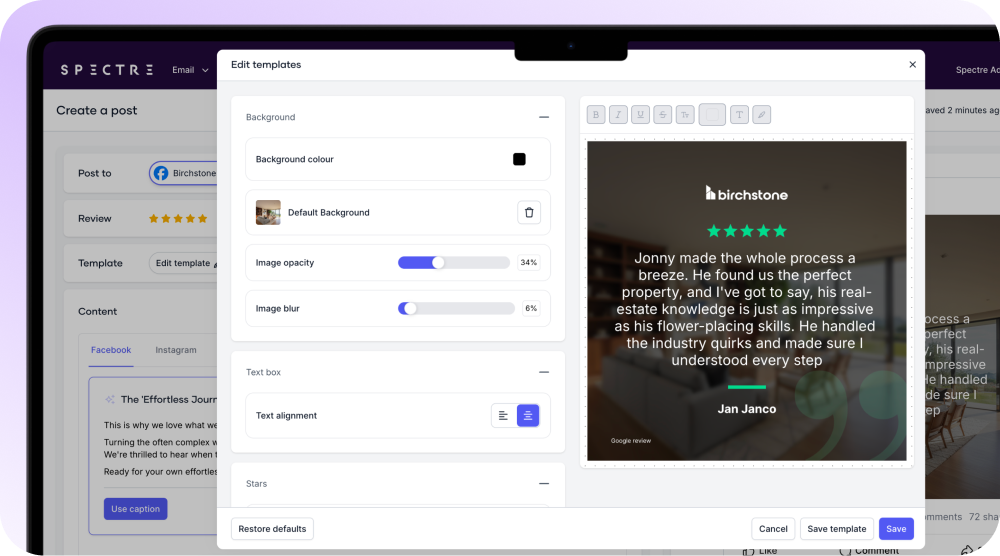
You now have ten new review templates with greater editing control, so every testimonial feels polished, distinctive and aligned to your agency. Stand out in the feed and make every five-star review work harder for you.
Know what’s working on social.
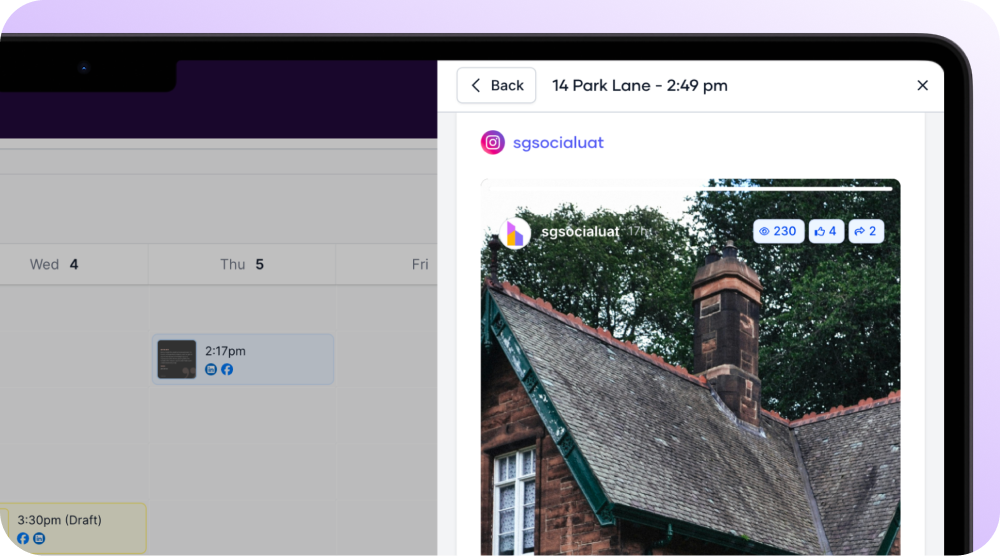
You can now see likes, comments, impressions and shares for your posts and stories directly from your dashboard, giving you a clear view of what’s landing with your audience so you can refine your content with confidence.
A smarter Link in Bio for property marketing.
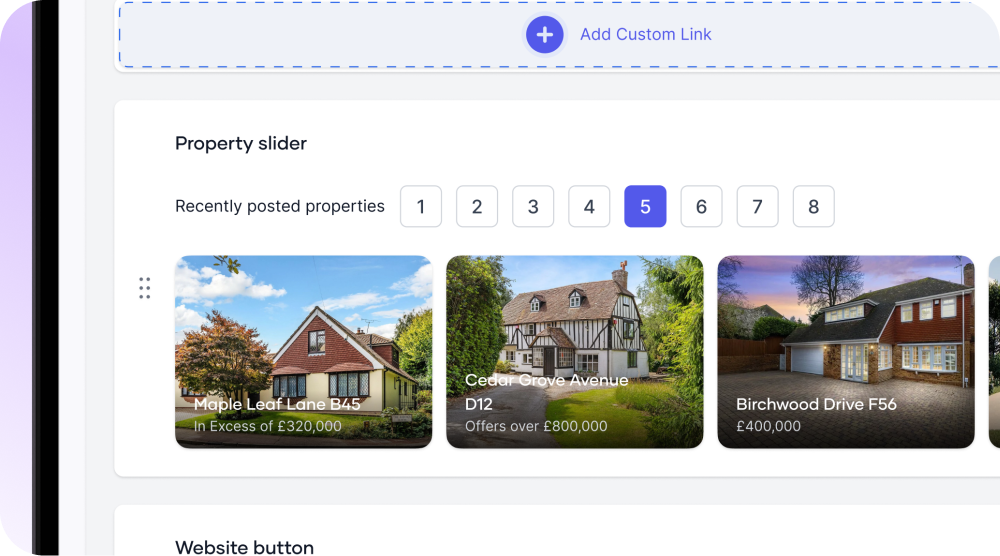
You can now add price qualifiers, such as “Offers in Excess Of” or “Guide Price,” to the properties featured in your Link in Bio, so buyers and renters immediately understand the pricing context before they click — making it even easier to put the right property links in front of your social audience.
Save your templates. Use them everywhere.
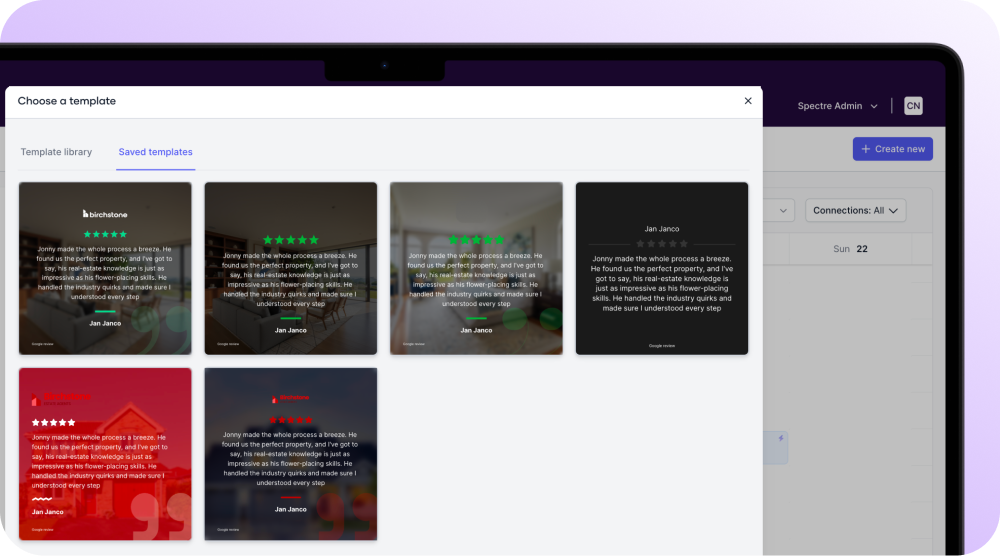
Create your perfect layout once, save it to “My Templates,” and reuse it across manual posts and automations so your brand stays consistent while your workflow stays fast.
Spectre Email updates
Segment landlords and tenants with precision.
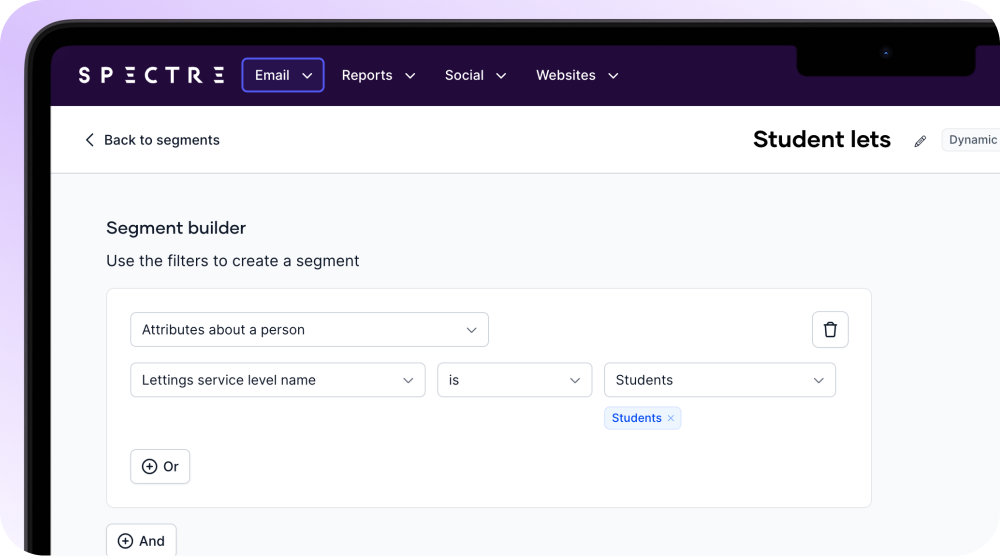
Filter by the exact service level you’ve created in Street.co.uk, for example if you’ve set up your own segment for student lets, so you can target the right landlords and tenants without overlap and run more relevant updates and campaigns with confidence.
Tailor follow-ups based on where leads came from.
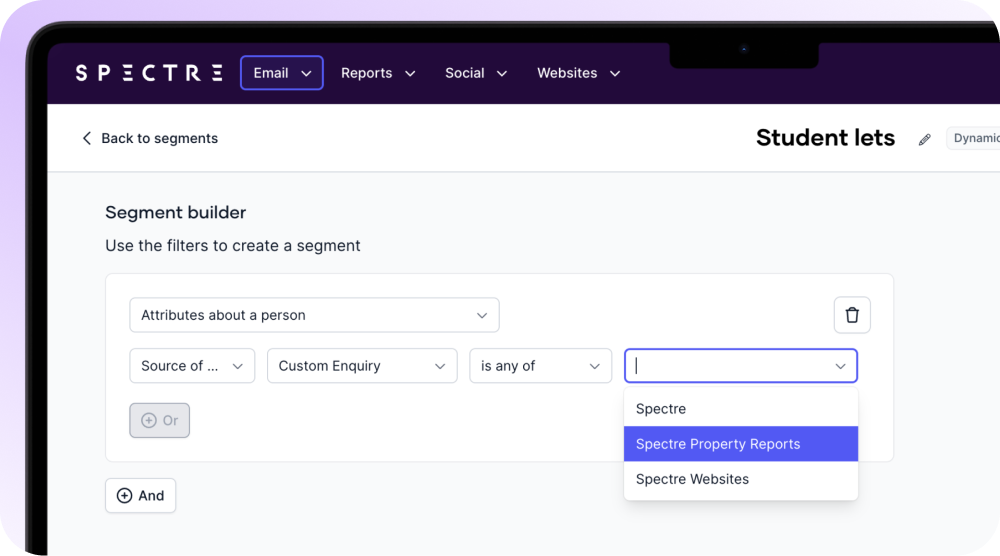
You can now segment contacts by their original enquiry source, whether that’s a portal, your website or elsewhere, so your follow-up reflects how they found you and feels more relevant from the first message.
Keep nurtures running without rebuilding journeys.
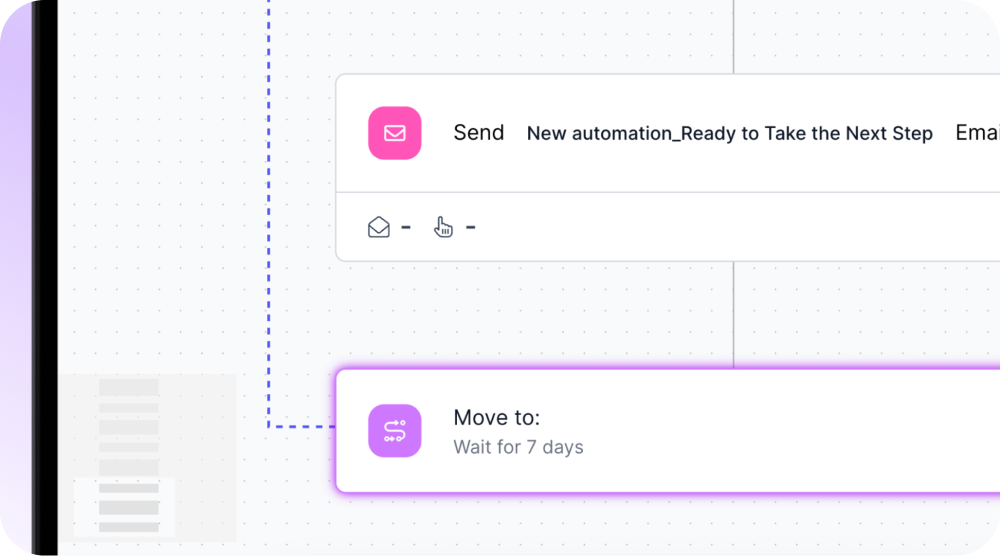
You can now move contacts back to an earlier step at the end of an automation, making it easy to run long-term nurture or ongoing applicant property alerts without building multiple, repetitive workflows.
A clearer email page, with tagging..
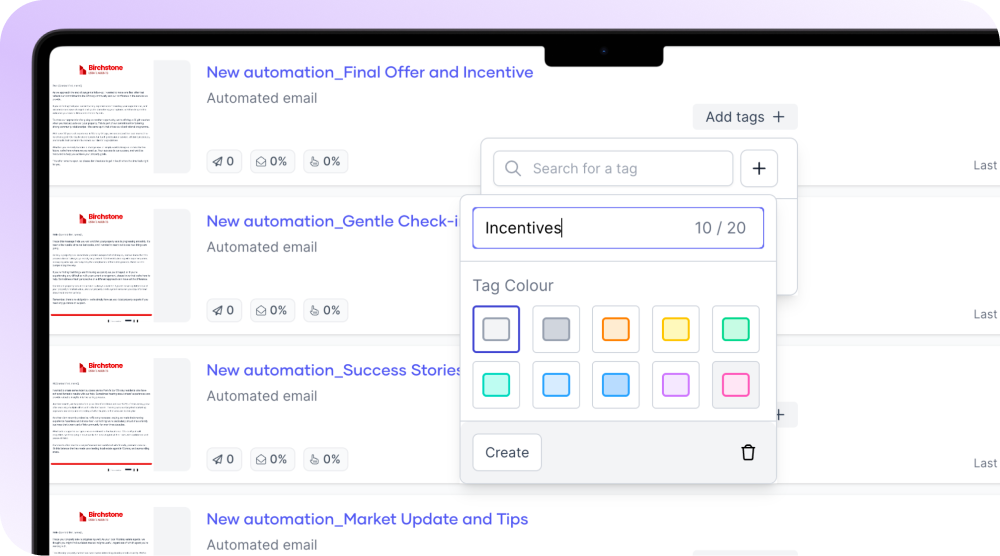
You can also create and apply tags to your emails, making it easier to organise valuation campaigns, landlord updates, seasonal sends and more.
Spectre Website updates
Turn every image into a pathway.

You can now add links to images across your website, including within blog articles, helping you guide visitors to key pages and strengthen your SEO through smarter internal and external linking.
Spectre Direct Mail updates
Download print campaigns in one go.
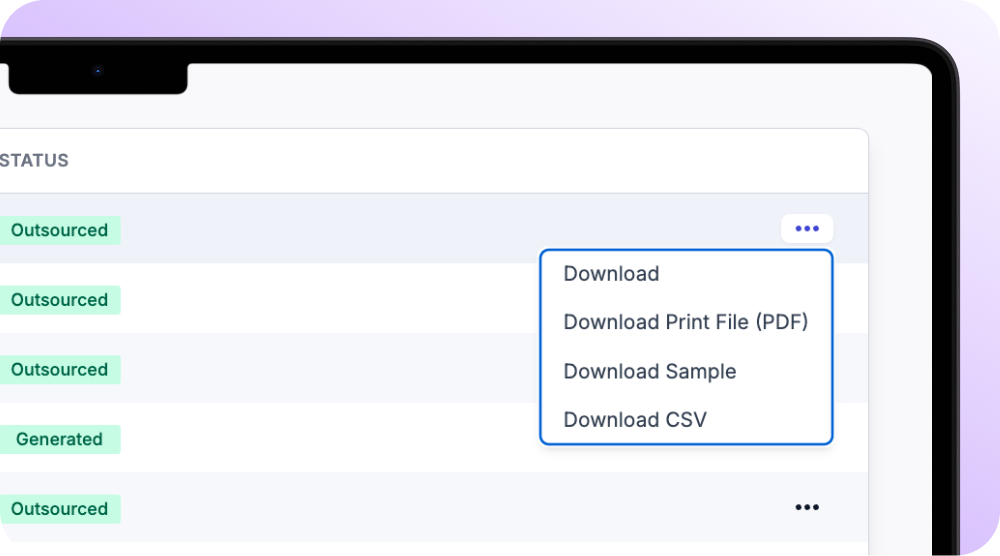
You can now download an entire Direct Mail batch as a single combined PDF, making high-volume new sales and lettings campaigns quicker to manage and far less admin-heavy, simply by selecting “Download Print File (PDF)” from the batch menu.
And that’s this month in Spectre.
From smarter social formatting and performance tracking to more flexible email automations, improved website linking and faster direct mail downloads, these updates are built to make your marketing sharper, more consistent and easier to manage at scale.
We’ll keep building tools that help you stay ahead, stand out and win more instructions.
Follow us on LinkedIn for the latest releases, walkthroughs and product insights.